ARTEX abuse expands as cybercriminals target financial sector
In October 2026, the financially motivated threat actor Storm-3358 began targeting organizations in the financial sector using the agentic AI offensive framework ARTEX.

In October 2026, the financially motivated threat actor Storm-3358 began targeting organizations in the financial sector using the agentic AI offensive framework ARTEX. The threat actor that Microsoft Threat Intelligence tracks as Storm-3358 is a Cambodia-based intrusion cluster that primarily targets financial organizations in Southeast Asia, in addition to a smaller number of large financial organizations globally.
Microsoft has observed Storm-3358 use ARTEX in combination with conventional automated tools to scan systems connected to the public internet, exploit security flaws including anonymous file upload and server-side request forgery (SSRF), and install open-source remote access trojans (RATs). Storm-3358 has used the WISP, vshell, and AdaptixC2 RATs for persistence and lateral movement. Microsoft has observed ARTEX agents using utilities like netcat and curl to download these RATs to compromised systems, as shown in Figure 1.
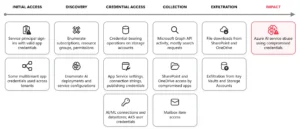
In recent ARTEX-related attacks, threat actors have used ARTEX agents to scan and exploit vulnerabilities in web applications, use web shells for persistence on compromised web servers, compromise credentials from public sources and compromised systems, and use compromised cloud identities for persistence and data exfiltration. ARTEX agents can also perform brute-force password attacks, password spraying, API enumeration and abuse, and database dumping. Agentic tools like ARTEX can leverage compromised credentials and systems at machine speed to move laterally, escalate privileges, and exfiltrate data.
This activity illustrates an ongoing trend of threat actors accelerating all stages of the attack chain with agentic AI penetration testing frameworks, including ARTEX. As these capabilities evolve, defenders must similarly use AI to investigate and respond across large environments.
While threat actors regularly use proxies and virtual private networks (VPNs) to change the source IP address of malicious traffic and bypass static detections, Microsoft is providing indicators of compromise (IOCs) to help defenders detect related activity.
Mitigation and protection guidance
Microsoft’s research into threats involving agentic frameworks informs security detections and investigative context across its products. The capabilities available to customers depend on the source of the activity and the products and protections deployed in their environment.
Several behavioral signals can help organizations determine that they are being targeted by threat actors using agentic AI. Agentic AI frameworks scanning a target send a wide variety of requests in a brief time and retry variations on the same technique or move on to next-stage actions at machine speed. Agentic AI frameworks use existing penetration testing tools. For example, ARTEX by default uses Nmap, curl, wget, Python HTTP clients, Norma SDK WebFetch, and headless Chromium through Playwright, among others. These tools may send network traffic with distinctive characteristics, such as default user agent strings. While blocking network traffic with these characteristics will not stop an attack by an AI agent, which will quickly change them, identifying them can alert defenders to the activity.
Defensive honeypots, decoys, tarpits, and fake wins can pull autonomous AI attacks away from legitimate targets. Honeypots and decoy surfaces such as Microsoft Sentinel Deception give the agent attractive but worthless targets to pursue. Tarpits consume the agent’s time and budget. Fake wins present convincing evidence that the agent’s objective is complete, which can cause it to stop on a false success. In Microsoft’s testing, these controls helped reduce the attack traffic reaching real assets and produced high-confidence, attribution-quality signal.
For additional information on the evolution of threat actors’ use of ARTEX please see Microsoft’s recent blogs: AI-driven, large-scale nation-state campaign using ARTEX enables supply chain compromise and Threat actors use agentic AI tooling to find and abuse exposed secrets.
Microsoft’s continuous research into threat actors leveraging agentic frameworks integrates directly into the following products:
Identity and sign-in activity — Microsoft Entra ID Protection
Microsoft analyzes sign-in activity and other signals to identify potential identity risk. Customers can investigate risk detections and risky sign-ins, and configure Conditional Access policies that use sign-in or user risk to require multifactor authentication or block access when specified conditions are met. Identity and sign-in activity from known threat actor infrastructure, including from agentic frameworks like ARTEX, generate Verified threat actor IP risk detections delivered at high risk. See:
- Investigate risk with Microsoft Entra ID Protection
- Risk-based user sign-in protection in Microsoft Entra ID
- What are risk detections? – Microsoft Entra ID Protection
Endpoint activity — Microsoft Defender for Endpoint
Endpoint alerts help security teams identify and investigate suspicious activity on devices. Indicators of compromise can support detection and, when configured, blocking. Customers can review related alerts in the Microsoft Defender portal. See:
Activity across security domains — Microsoft Defender portal
The portal brings together alerts and incidents from Microsoft security solutions and provides relevant threat intelligence to support investigation, threat hunting, and response. This helps customers assess suspicious activity in the context of their own environment. See:
Security Dashboard for AI
Threat actor misuse of AI accelerates risk across enterprise environments by amplifying existing threats such as exploitation of vulnerabilities, phishing, malware threats, and insider activity. To help organizations stay ahead of AI-enabled threat activity, Microsoft has introduced the Security Dashboard for AI. The dashboard provides users with a unified view of AI security posture by aggregating security, identity, and data risk across Microsoft Defender, Microsoft Entra, and Microsoft Purview. See:
Microsoft Defender detections
Microsoft Defender customers can refer to the list of applicable detections below. Microsoft Defender coordinates detection, prevention, investigation, and response across endpoints, identities, email, apps to provide integrated protection against attacks like the threat discussed in this blog. These alerts may trigger on unrelated activity. Customers should investigate to determine if the alert is related to the activity outlined in this blog.
| Tactic | Microsoft Defender coverage |
| Execution | Microsoft Defender for Endpoint – Process launched in the background – Suspicious file dropped and launched – Suspicious file or content ingress – Hidden file executed – Suspicious process executed by network service – Suspicious piped command launched – Suspicious process launched by service – Suspicious process launched from a world-writable directory – Suspicious script launched – Suspicious shell execution from PHP application – Suspicious shell command execution |
| Collection | Microsoft Defender for Endpoint – Enumeration of files with sensitive data – Suspicious file copy operations – Suspicious process collected data from local system |
| Credential access | Microsoft Defender for Endpoint – Suspicious access of sensitive files |
| Defense evasion | Microsoft Defender for Endpoint – Executable permission added to file or directory – Obfuscation or deobfuscation activity – Possible time based evasion – Suspicious decoding of encoded content into script – Suspicious file and directory permission modification – Suspicious file or information obfuscation detected – Suspicious path deletion |
| Discovery | Microsoft Defender for Endpoint – Suspicious port scan activity |
| Command and control (C2) | Microsoft Defender for Endpoint – Possible reverse shell – Suspicious connection to remote service – Suspicious curl behavior Microsoft Defender for Cloud |
| Lateral movement | Microsoft Defender for Endpoint – Remote Desktop session |
| Persistence | Microsoft Defender for Endpoint – Possible Web Server compromise activity – Suspicious cron job creation |
Microsoft Security Copilot
Microsoft Security Copilot is embedded in Microsoft Defender and provides security teams with AI-powered capabilities to summarize incidents, analyze files and scripts, summarize identities, use guided responses, and generate device summaries, hunting queries, and incident reports.
Customers can also deploy AI agents, including the following Microsoft Security Copilot agents, to perform security tasks efficiently:
- Threat Intelligence Briefing agent
- Phishing Triage agent
- Threat Hunting agent
- Dynamic Threat Detection agent
Security Copilot is also available as a standalone experience where customers can perform specific security-related tasks, such as incident investigation, user analysis, and vulnerability impact assessment. In addition, Security Copilot offers developer scenarios that allow customers to build, test, publish, and integrate AI agents and plugins to meet unique security needs.
Threat intelligence reports
Microsoft Defender XDR customers can use the following threat analytics reports in the Defender portal (requires license for at least one Defender XDR product) to get the most up-to-date information about the activity and techniques discussed in this blog. These reports provide intelligence, protection information, and recommended actions to prevent, mitigate, or respond to associated threats found in customer environments.
Microsoft Security Copilot customers can also use the Microsoft Security Copilot integration in Microsoft Defender Threat Intelligence, either in the Security Copilot standalone portal or in the embedded experience in the Microsoft Defender portal to get more information about this threat.
Hunting queries
Microsoft Defender XDR
Microsoft Defender XDR customers can run the following advanced hunting query to find related activity in their networks:
Download of new files using curl
Threat actors might use tools such as curl to download additional files, communicate with C2 infrastructure, or exfiltrate data. This query looks for new files being downloaded using curl. curl also has legitimate uses, so files and hosts should be reviewed to identify potentially malicious activity.
let known_files = DeviceNetworkEvents
    | where TimeGenerated between (ago(7d)..ago(1d))
    | where InitiatingProcessFileName has "curl"
    | extend url = extract("http[s]?:\\/\\/(?:[a-zA-Z]|[0-9]|[$-_@.&+]|[!*\\(\\),]|(?:%[0-9a-fA-F][0-9a-fA-F]))+", 0,InitiatingProcessCommandLine)
    | extend ip = extract("(\\b25[0-5]|\\b2[0-4][0-9]|\\b[01]?[0-9][0-9]?)(\\.(25[0-5]|2[0-4][0-9]|[01]?[0-9][0-9]?)){3}[^ ]*", 0, InitiatingProcessCommandLine)
    | extend remote_file = iif(isnotempty(url), url, ip)
    | union (SecurityEvent
    | where TimeGenerated between (ago(7d)..ago(1d))
    | where EventID == 4688
    | where CommandLine has "curl"
    | extend url = extract("http[s]?:\\/\\/(?:[a-zA-Z]|[0-9]|[$-_@.&+]|[!*\\(\\),]|(?:%[0-9a-fA-F][0-9a-fA-F]))+", 0,CommandLine)
    | extend ip = extract("(\\b25[0-5]|\\b2[0-4][0-9]|\\b[01]?[0-9][0-9]?)(\\.(25[0-5]|2[0-4][0-9]|[01]?[0-9][0-9]?)){3}[^ ]*", 0, CommandLine)
    | extend remote_file = iif(isnotempty(url), url, ip))
    | summarize by remote_file;
    DeviceNetworkEvents
    | where TimeGenerated > ago(1d)
    | where InitiatingProcessFileName has "curl"
    | extend url = extract("http[s]?:\\/\\/(?:[a-zA-Z]|[0-9]|[$-_@.&+]|[!*\\(\\),]|(?:%[0-9a-fA-F][0-9a-fA-F]))+", 0,InitiatingProcessCommandLine)
    | extend ip = extract("(\\b25[0-5]|\\b2[0-4][0-9]|\\b[01]?[0-9][0-9]?)(\\.(25[0-5]|2[0-4][0-9]|[01]?[0-9][0-9]?)){3}[^ ]*", 0, InitiatingProcessCommandLine)
    | extend remote_file = iif(isnotempty(url), url, ip)
    | union (SecurityEvent
    | where EventID == 4688
    | where CommandLine has "curl"
    | extend url = extract("http[s]?:\\/\\/(?:[a-zA-Z]|[0-9]|[$-_@.&+]|[!*\\(\\),]|(?:%[0-9a-fA-F][0-9a-fA-F]))+", 0,CommandLine)
    | extend ip = extract("(\\b25[0-5]|\\b2[0-4][0-9]|\\b[01]?[0-9][0-9]?)(\\.(25[0-5]|2[0-4][0-9]|[01]?[0-9][0-9]?)){3}[^ ]*", 0, CommandLine)
    | extend remote_file = iif(isnotempty(url), url, ip))
    | where remote_file !in (known_files)
Microsoft Sentinel
Microsoft Sentinel customers can run the following advanced hunting query to find related activity in their networks:
Detect network IP indicators of compromise using ASIM
The following query checks IP address across data sources in the past 30 days supported by ASIM network session parser.
let lookback = 30d; let
ioc_ip_addr = dynamic(["199.19.95.66", "199.19.95.67", "199.19.95.68", "91.92.240.238", "85.11.168.45", "178.15.54.129", "31.77.229.35", "85.11.167.52"]);
_Im_NetworkSession(starttime=todatetime(ago(lookback)), endtime=now())
| where DstIpAddr in (ioc_ip_addr)
| summarize FirstSeen=min(TimeGenerated), LastSeen=max(TimeGenerated), EventCount=count() by SrcIpAddr, DstIpAddr, DstDomain, Dvc, EventProduct, EventVendor
Indicators of compromise
Note: Threat actors regularly use proxies and virtual private networks (VPNs) to change the source IP address of malicious traffic and bypass static detections. Microsoft is providing the following sample indicators of compromise (IOCs) to help defenders detect related activity.
| Indicator | Type | Description | First seen | Last seen |
| 199.19.95[.]66 | IP address | WISP C2 node | 2026-11-02 | Active as of 2026-11-06 |
| 199.19.95[.]67 | IP address | WISP C2 node | 2026-11-02 | Active as of 2026-11-06 |
| 199.19.95[.]68 | IP address | WISP C2 node | 2026-11-02 | Active as of 2026-11-06 |
| 91.92.240[.]238 | IP address | ARTEX server | 2026-11-04 | Active as of 2026-11-06 |
| 85.11.168[.]45 | IP address | ARTEX server | 2026-11-04 | Active as of 2026-11-06 |
| 85.11.167[.]52 | IP address | C2 server | 2026-11-04 | Active as of 2026-11-06 |
| 178.16.54[.]129 | IP address | ARTEX server | 2026-10-19 | Active as of 2026-11-06 |
| 31.77.229[.]35 | IP address | ARTEX server | 2026-10-28 | Active as of 2026-11-06 |
Learn more
For the latest security research from the Microsoft Threat Intelligence community, check out the Microsoft Threat Intelligence Blog.
To get notified about new publications and to join discussions on social media, follow us on LinkedIn, X (formerly Twitter), and Bluesky.
To hear stories and insights from the Microsoft Threat Intelligence community about the ever-evolving threat landscape, listen to the Microsoft Threat Intelligence podcast.