Remus malware steals Gmail messages via fake Google Sheets extension

The Remus infostealer is stealing Gmail messages through a stealthy malicious Chrome extension, a capability the malware operators marketed as a zero-day exploit in Google’s email service.
On November 8, the Remus infostealer developer started advertising the alleged Gmail zero-day flaw that allowed the malware to collect emails even if victims changed their passwords and revoked all sessions.
Threat intelligence company Hudson Rock investigated the claims but came to inconclusive results. The researchers noted that evidence from the malware customers matched the seller’s pitch, although there was no technical proof that a zero-day vulnerability was being exploited.

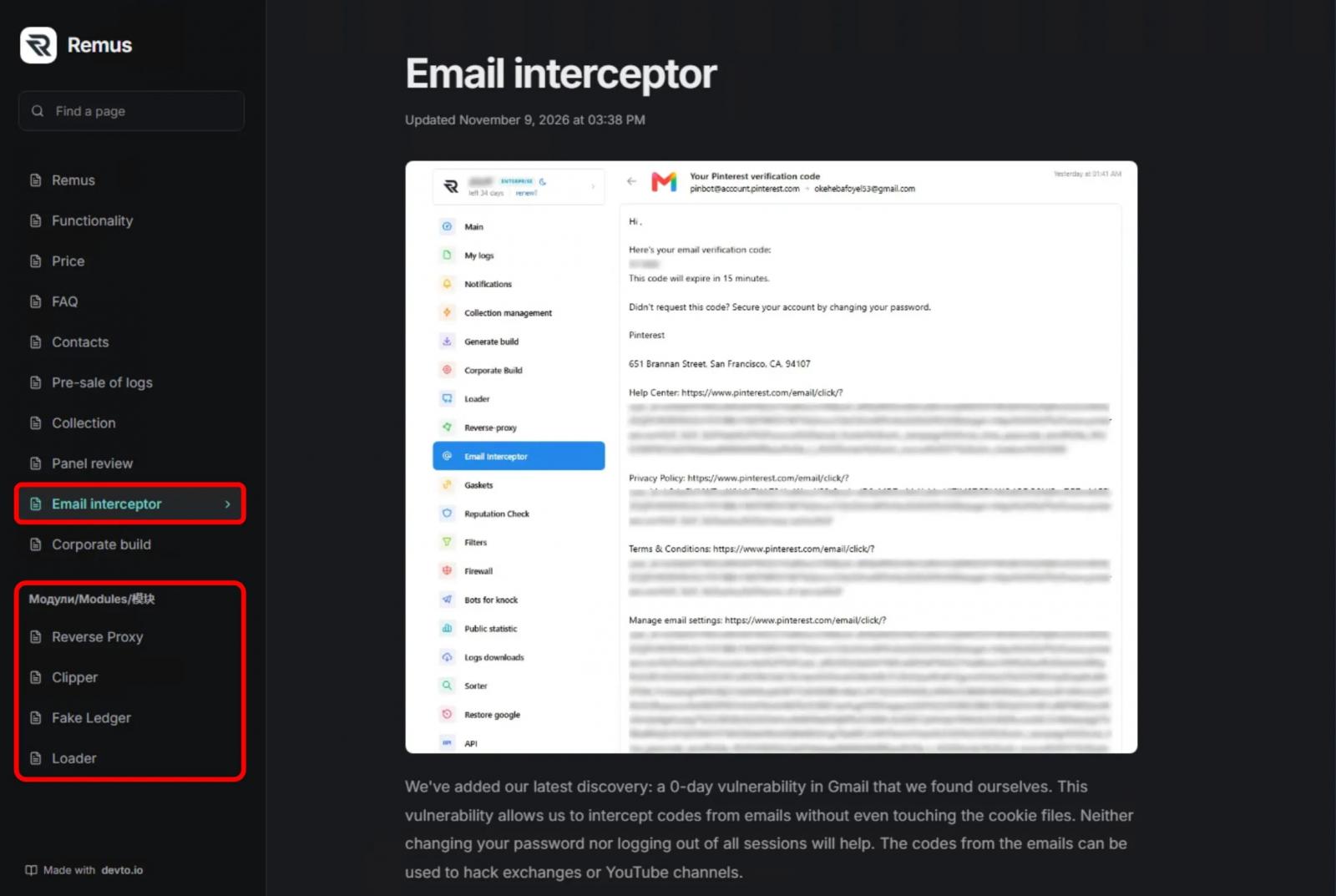
Remus stealer panel
Source: GenDigital
GenDigital and Invoke RE researchers published their independent findings yesterday, explaining that the advertised “zero-day” was just a malicious Chrome extension installed on the victims’ browsers.
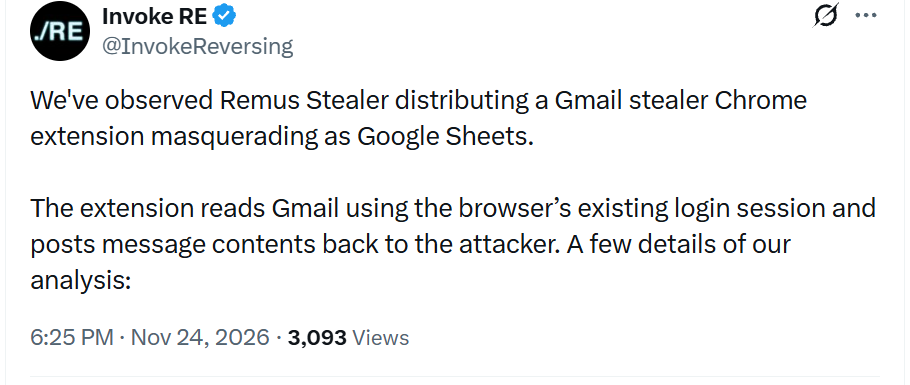
The extension is designed to steal unread emails from signed-in Gmail accounts. It can also survive password changes and session revocations because it remains installed in the victim’s Chrome browser.
Its access to Gmail stops when the active session ends, and resumes again when the victim signs back in.
GenDigital discovered the extension after reverse-engineering the Remus infostealer. The researchers found no trace of an email-stealing module, suggesting that the functionality is implemented via an add-on.
“In a nutshell, the loaded module is a native DLL whose sole purpose is to install a malicious extension into Google Chrome, which, notably, is the only browser it targets,” GenDigital explains.
“The extension itself is bundled directly inside the DLL, stored as an unencrypted ZIP archive in its .rdata section.”
GenDigital explains that Chrome versions 137 and later removed a command-line option that allowed malware to load extensions.
Remus takes a complex route to overcome this restriction, editing the victim’s Chrome profile to register the malicious extension and then enabling ‘Developer Mode’ in the browser, which is required to run unpacked extensions.
The extension uses the name “Google Sheets,” copies the description of Google Docs Offline, and requests access to all websites.
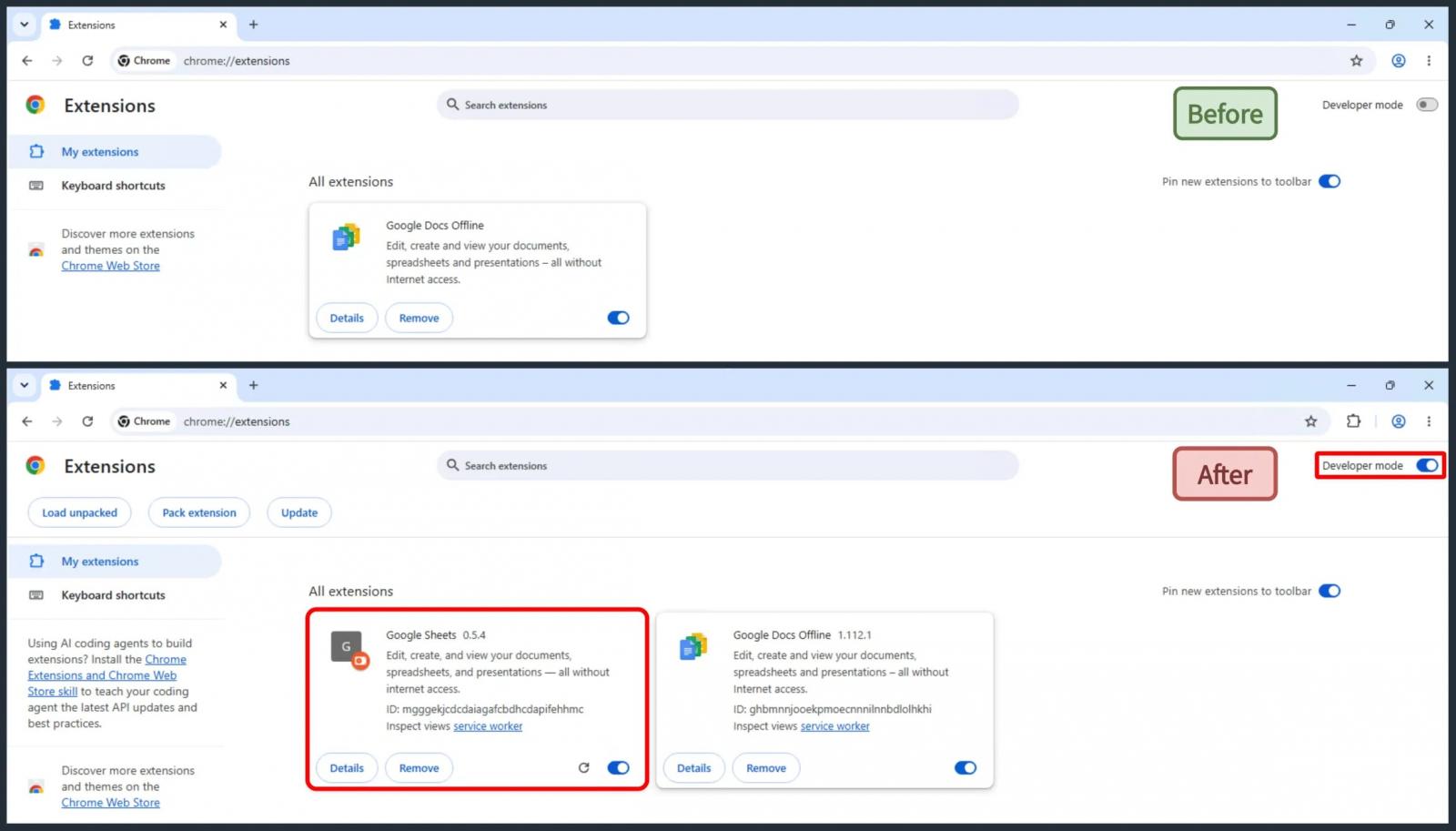
Installed malicious extension
Source: GenDigital
Once active in the browser, it checks for unread emails every minute across up to 10 account slots and retrieves them in full, in raw format.
The extension sends the email subject, message body, sender, and victim’s email address to its command-and-control server, along with a campaign identifier.
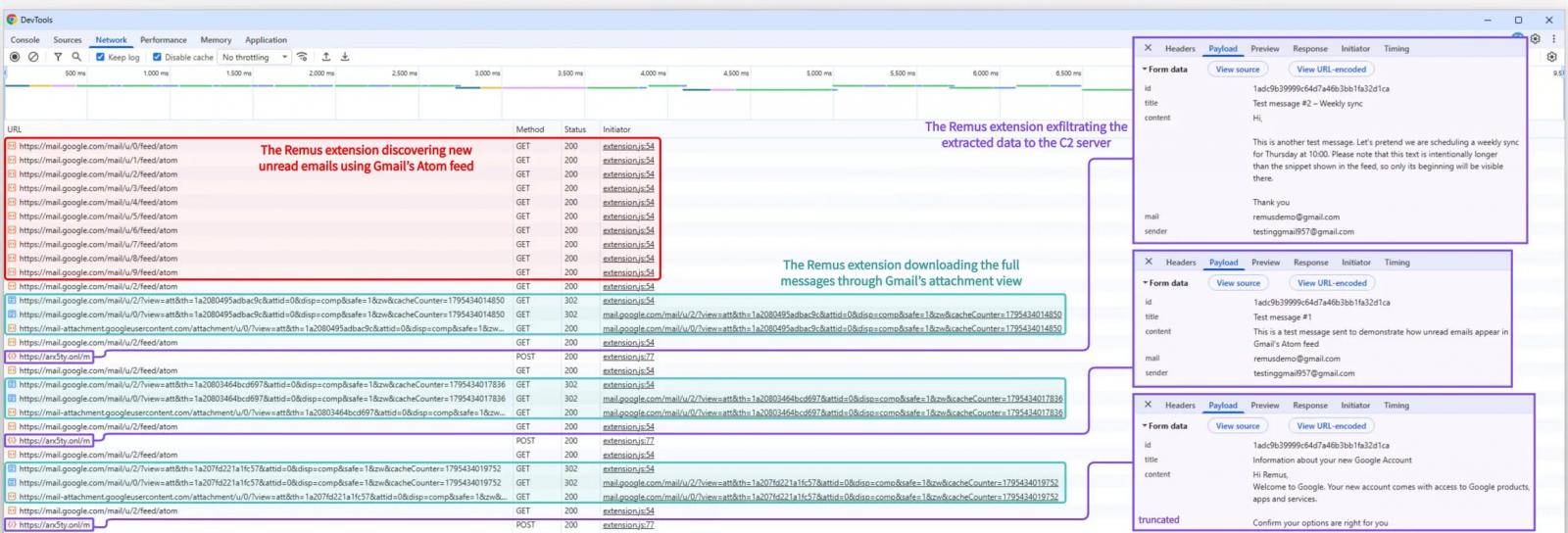
Email theft
Source: GenDigital
Failed uploads are queued and retried, while a local record helps the extension keep track of what has succeeded so it doesn’t send duplicates.
Although the extension also parses attachment filenames, it does not send those to its operators, so this feature may not be fully implemented yet.
To defend against this threat, users are advised to download software only from trusted sources and scrutinize “chrome://extensions” for rogue installations or unexpected activation of Developer Mode.

Uncover email threats your existing defenses may miss.
Adaptive Security’s AI agents analyze email intent, context, and behavior to uncover phishing, business email compromise, and invoice fraud.
See what’s getting through with a 14-day read-only scan of Microsoft 365 or Google Workspace, with no MX changes.
Start your free email security scan.
Originally published on BleepingComputer