Inside Modern Phishing Kits Built to Steal Microsoft 365 Sessions
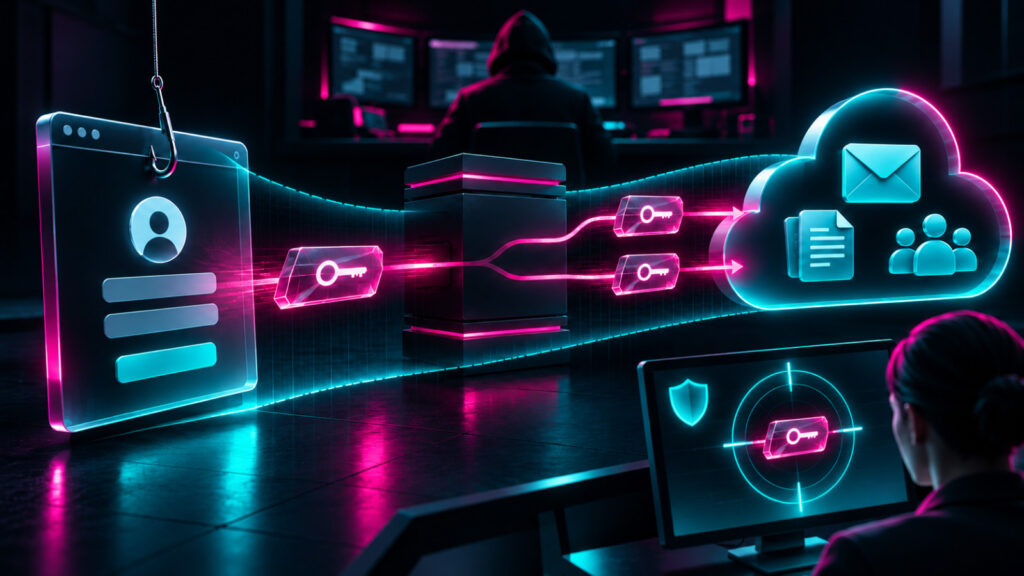
It’s never been easier to steal credentials, thanks to a growing number of phishing kits that give aspiring attackers everything they need in one convenient interface. Some now come with admin dashboards and round-the-clock support, like a SaaS business, and they’re designed specifically to steal Microsoft 365 session tokens.
Even entry-level attackers who replay a stolen token can end up in an active session where the login and MFA are already complete, with instant access to the victim’s cloud resources and email.
Huntress researchers analyzed three of these modern phishing kits. This article breaks down how they capture and replay tokens and what defenders can do about it.
What’s inside a phishing kit
A phishing kit is a pre-packaged set of code and templates, with instructions for launching a phishing campaign and using the data it steals for malicious activity. Basic kits are often simple HTML and script files that spin up a single fake login page.
More advanced kits feature admin dashboards that attackers use to track victims, modify phishing page content, and relay credentials in real time.
To understand why these kits are so dangerous, it helps to look at how they turn phishing lures into usable sessions.
2026 Cyber Threat Report: State of Phishing
Phishing has been around forever, but it’s not slowing down. It’s just getting sneakier.
The Huntress State of Phishing report walks through the top phishing trends over the last year, from the lure themes and impersonated brands to the psychological tricks designed to slip past your defenses. And it shows you how to turn your people from a vulnerability into your strongest line of defense.
When attackers pivot from passwords to sessions
Phishing kits now give attackers usable authenticated sessions through three tradecraft techniques.
In a device code phishing attack, the victim authenticates directly with the identity provider while the attacker quietly captures the resulting authorization and uses it. The flow reduces friction for attackers because the victim never types credentials into an unfamiliar page, so the entire experience feels like a normal sign-in.
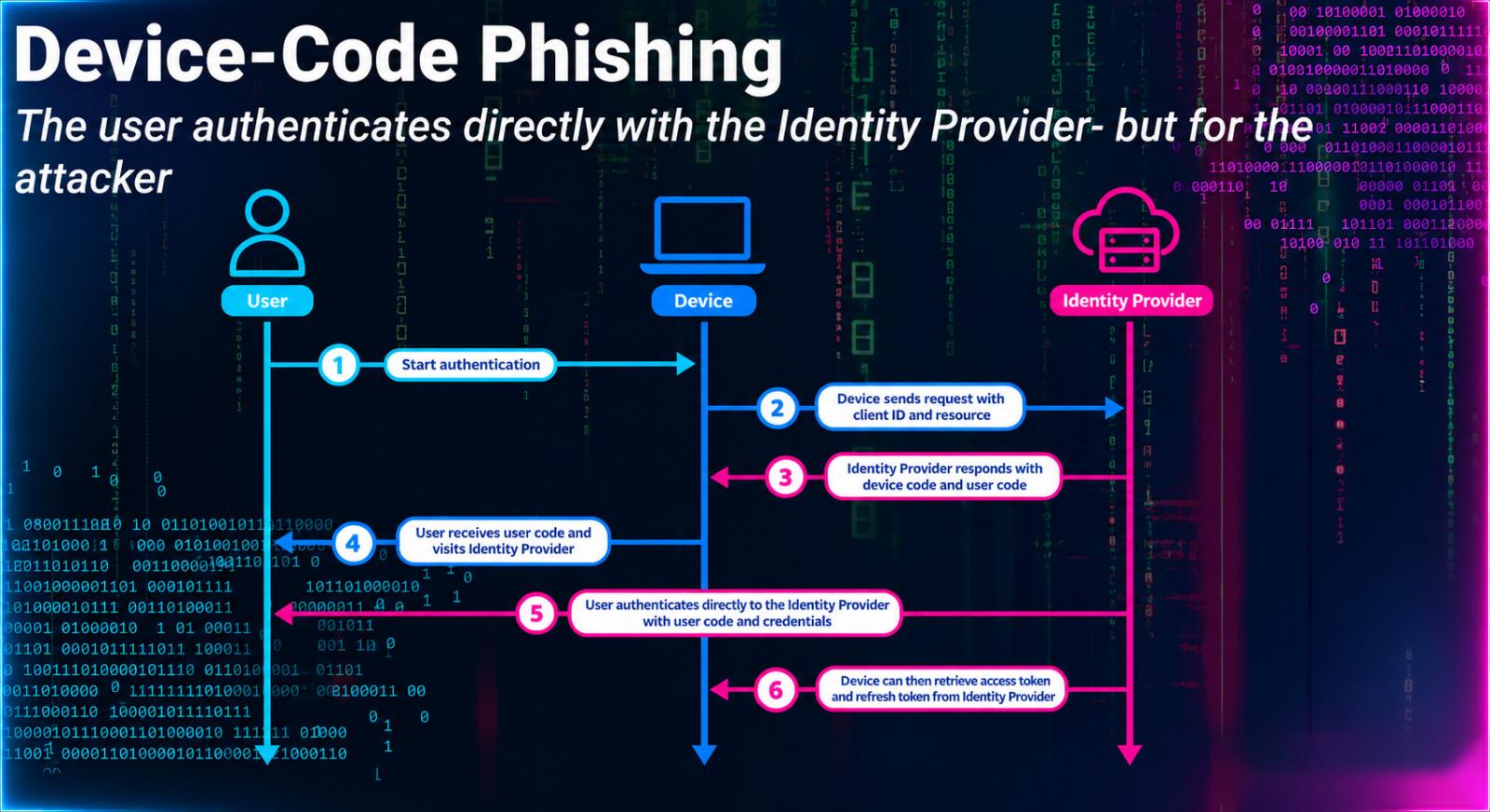
Figure 1: Device code phishing attack flow
AitM attacks reveal the limitations of MFA; the threat actor relays the authentication flow in real time, either with a fake login page or by intercepting an exchange within the legitimate app. The victim completes the MFA prompt while the attacker captures the resulting session information.
This is why successfully completed MFA does not make the session trustworthy on its own.
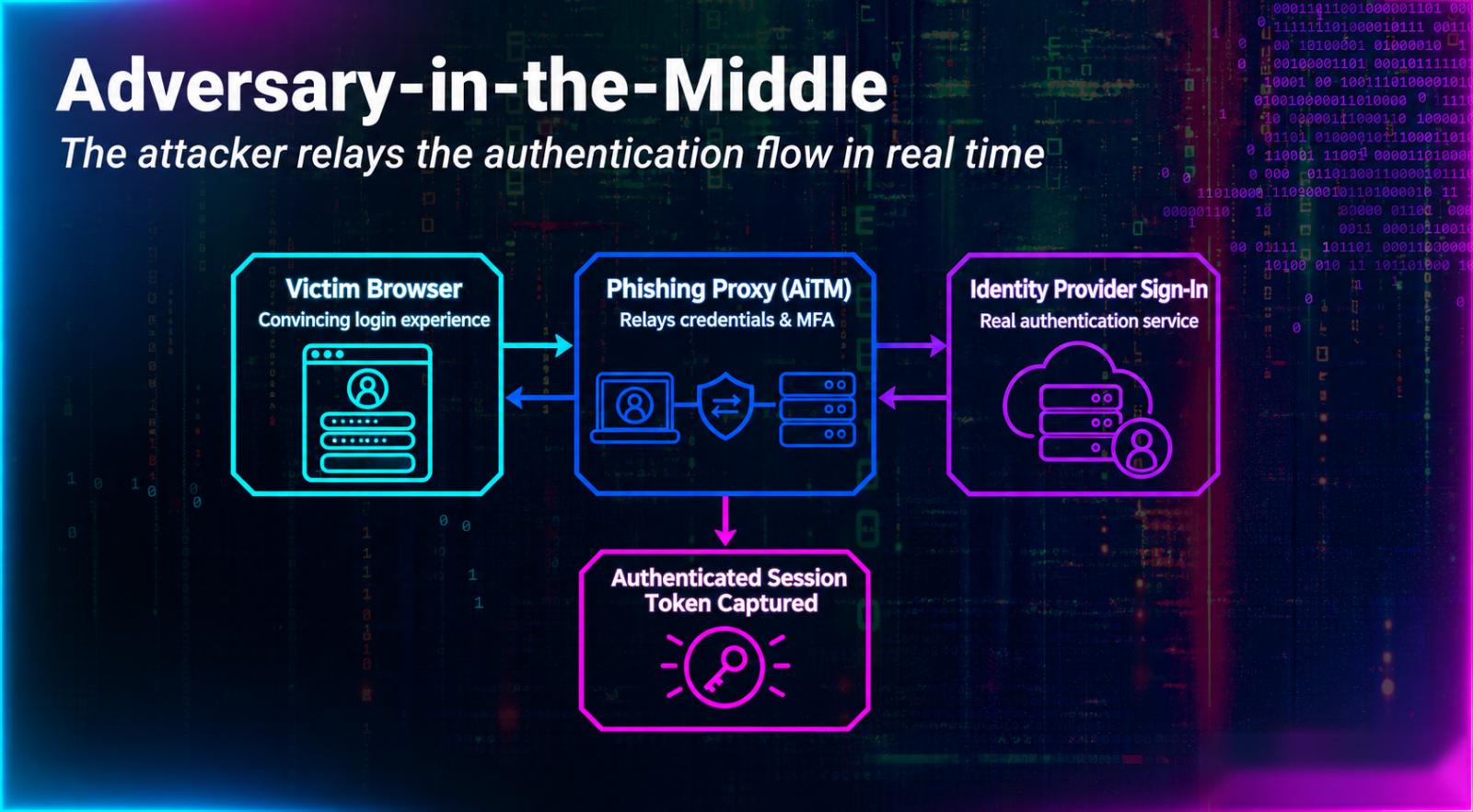
Figure 2: Example of an AiTM attack
Token theft is far more valuable to attackers than password theft. After an attacker gets their hands on a sign-in token, a phishing kit like Kali365 (which we’ll dig into below) can help them replay it into an active session, where they can access cloud resources and the victim’s email accounts.
If you suspect replay, look past the original phishing page and investigate how the token was used.
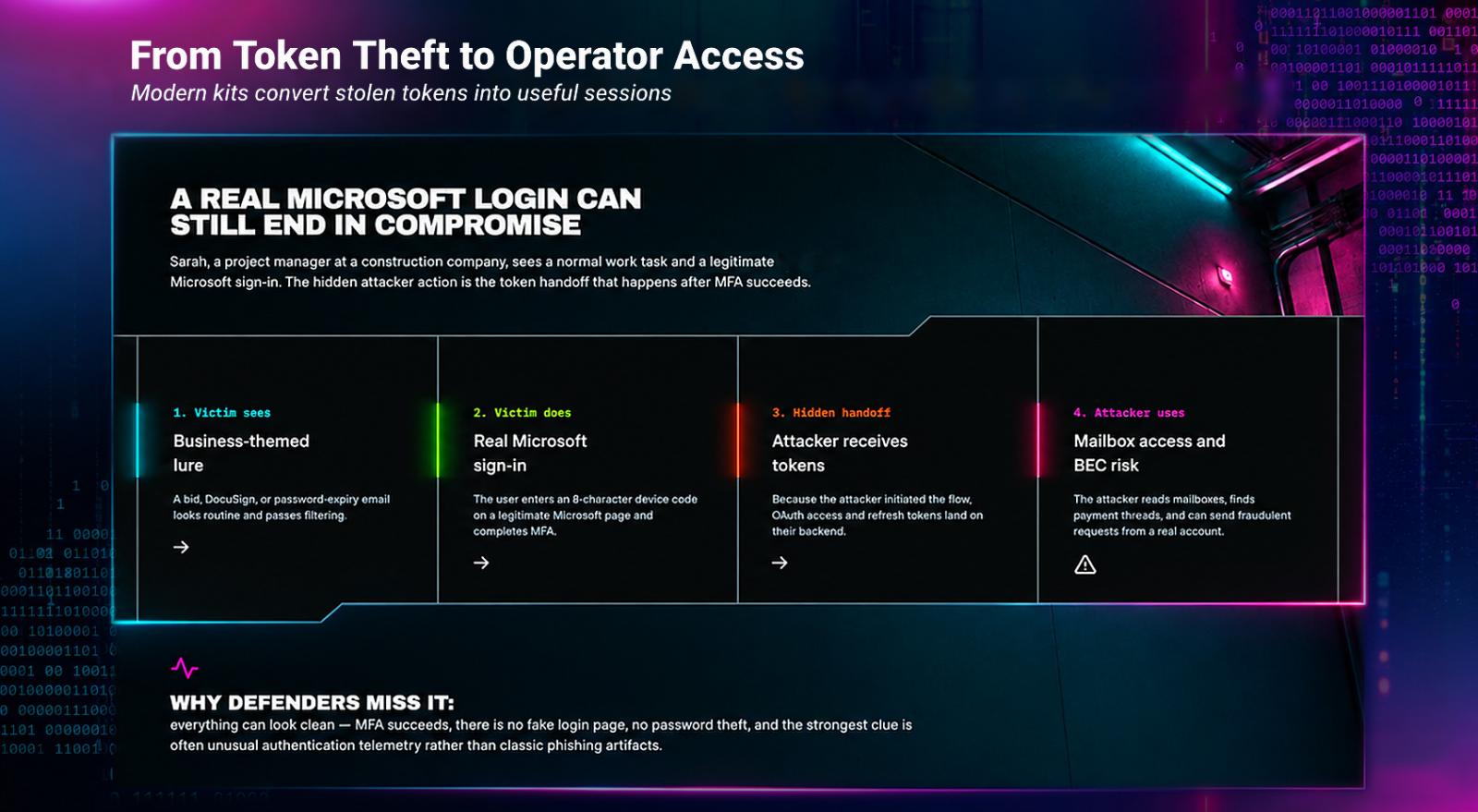
Figure 3: How attackers convert stolen tokens into useful sessions
These techniques don’t live in isolation. In the last few months, Huntress has analyzed several advanced phishing kits targeting Microsoft 365 tokens, including EvilTokens, Knight Office, and Kali365.
Three phishing kits targeting Microsoft 365 tokens
In early 2026, Huntress discovered EvilTokens as part of a device code phishing campaign that abused the Railway Platform-as-a-Service (PaaS) platform as a token-harvesting and replay engine.
A joint effort between Microsoft’s Digital Crimes Unit and the FBI later in the year led to the arrest of one of its alleged operators.
Knight Office is an adversary-in-the-middle (AiTM) phishing kit that steals valid Microsoft 365 session tokens and feeds them into an operator console. Attackers can replay those sessions and set up persistence across tenant accounts.
The third kit, Kali365, bundles a full Phishing as a Service (PhaaS) operation into a single control panel so operators can capture tokens through device code flows and reverse-proxy lures, replay them into live Microsoft 365 sessions, maintain access, and scale activity with built-in AI features.
Kits like these help attackers walk away with persistent access, not just usernames and passwords.
What every defender can do about token theft
A single signal is only one piece of the attack. Follow the full sequence from the lure to authentication, token issuance or theft, device registration, and mailbox activity to understand identity compromise in your environment.
Defenders can look for these signs of a stolen session:
-
Start by checking for successful sign-ins from unfamiliar cloud infrastructure.
-
Then hunt for device code authentication and automated token refresh.
-
Review new devices, authentication methods, and mailbox activity.
On the response side, keep these priorities in mind:
-
Containment must address identity artifacts, not just the original lure.
-
Revoke refresh tokens, then remove unauthorized devices and Windows Hello credentials.
-
Restrict or block device code authentication where you can, and investigate mailbox access, forwarding rules, and outbound phishing.
Keep going after containment. Monitor for replay or re-entry, and keep hunting after the original phishing domain disappears.
Join us for Tradecraft Tuesday to dig into more attacker tradecraft like this with Huntress researchers.
Sponsored and written by Huntress Labs.
Originally published on BleepingComputer