Stolen UpdraftCentral keys used to backdoor WordPress sites
A threat actor breached TeamUpdraft’s website, a developer of popular WordPress backup and security plugins, potentially compromising UpdraftCentral connection keys that can send commands to connected websites.

A threat actor breached TeamUpdraft’s website, a developer of popular WordPress backup and security plugins, potentially compromising UpdraftCentral connection keys that can send commands to connected websites.
TeamUpdraft detected unauthorized access to its infrastructure over the weekend and believes that the hacker accessed the customer database.
The developer offers several WordPress tools for backup, storage, and site management:
- UpdraftPlus: website backup and restoration plugin with more than 4 million downloads
- UpdraftCentral: for managing multiple sites remotely
- UpdraftVault: for cloud backup storage
- UpdraftClone: for creating staging websites
“Over the weekend of 17-18 October we identified unauthorised access to the teamupdraft.com website,” TeamUpdraft said in an advisory yesterday.
“Our team responded straight away and worked through the night to contain it – we closed the access route, signed out every account and replaced the keys and credentials that could have been affected.”
The vendor says it believes the threat actor accessed its customer database, which included details about the customer and billing, order history, as well as more sensitive information:
- password hashes
- two-factor authentication settings
- connection keys for UpdraftCentral, UpdraftVault, and UpdraftClone services
The vendor said it did not store any payment details and noted that UpdraftPlus plugin files and downloads remain unaffected. Self-hosted UpdraftCentral instances are not impacted.
Even if backups in customers’ own remote storage are unaffected, the company recommends that users rotate storage credentials and reauthorize connections if they accessed their site through UpdraftCentral.
Massive blast radius
An estimated 10% of sites using UpdraftPlus have an UpdraftCentral or Migrator key, potentially exposing around 400,000 websites to the attack.
According to Patchstack lead researcher Oliver Sild, attackers have begun using stolen access keys to backdoor sites connected to UpdraftCentral, saying the campaign may be more severe than the “wp2shell” attack.
The WordPress plugin security company says that the attacks started on October 18 at 15:32 UTC to execute arbitrary code and add accounts with full administrator privileges.
The researchers logged at least 99 malicious backdoor plugins with distinct names disguised as WordPress maintenance and optimization tools, such as “Site Health Cache.”
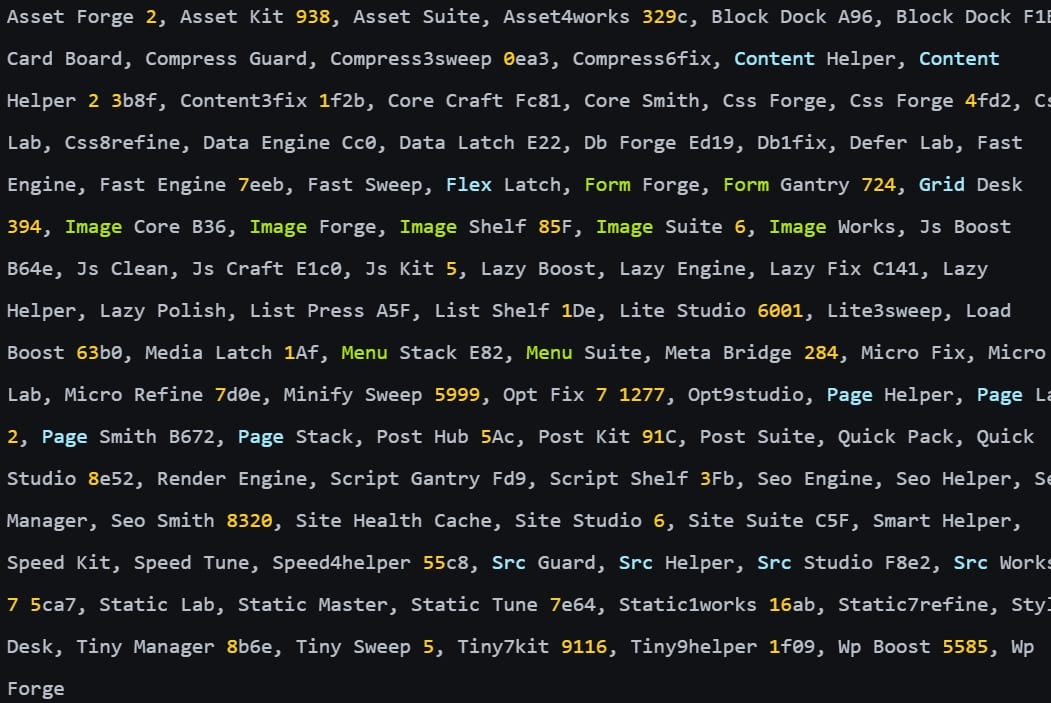
Backdoor plugin names
Source: Patchstack
Although Patchstack describes an early variant of the backdoor plugin that is broken due to a coding error, a report from web application security firm Nethemba documents a newer version that lets attackers create privileged accounts or log in as existing administrators.
Nethemba says three of its own WordPress websites were targeted through UpdraftCentral, with malicious plugins successfully installed on two of them.
“All three sites ran the current WordPress 7.1.3 and UpdraftPlus 2.26.11, which is patched against the June vulnerability CVE-2026-10795,” Nethemba says.
“The attacker did not break into our servers and did not exploit any weakness in our configuration. The attacker came in through the UpdraftCentral remote management channel and signed the commands with valid private dashboard keys”
Nethemba reports that the vendor’s initial 1.26.12/2.26.12 release was meant to remove UpdraftCentral Cloud keys, but a bug prevented it from doing so.
Users are recommended to update UpdraftPlus to 1.26.13 (free) / 2.26.13 (Premium) or later.
After updating, it is recommended to log into each WordPress site and delete the UpdraftCentral connection keys from Settings → UpdraftPlus Backups → Advanced Tools → UpdraftCentral → Manage existing keys.
Administrators should inspect logs and files for indicators of compromise provided by TeamUpdraft, Patchstack, and Nethemba.
If compromise is confirmed, it is recommended to restore sites from clean backups, change the TeamUpdraft account password, revoke all sessions, and reset the two-factor authentication protection method.

Once attackers have valid credentials, only 37% of their actions are blocked
Overall prevention scores can hide what happens after initial access. Once attackers are using valid credentials, prevention drops sharply.
The Blue Report 2026 measures defenses technique by technique across 338 million simulations run in customer production environments.